> ## Documentation Index
> Fetch the complete documentation index at: https://plai-a079b342.mintlify.site/llms.txt
> Use this file to discover all available pages before exploring further.
# Quick Start Guide
> Start building your own ads platform, using Plai ads apis
## Get Your API Key From Plai
An API Key is required to authorize access to the API endpoints. This key is used in the header of your requests, and should be preceded by the `x-api-key` keyword.
```javascript Header theme={null}
"x-api-key": "API_KEY"
```
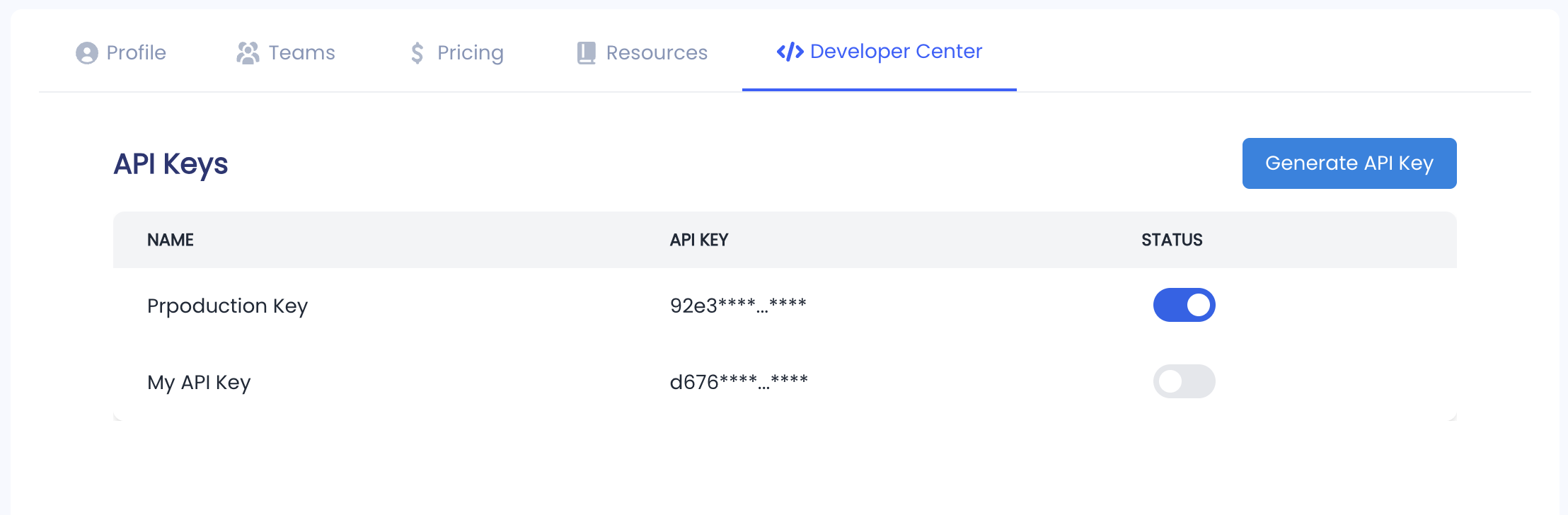
Get Api key, Click on Dashboard on top right corner than from the platform navigate to profile screen > developer center tab
 ## Get Your API Key From Customer Support
To use our Ads API services, you must first obtain an API Key. Please contact our support team to request access. Once approved, you'll receive the necessary credentials to authenticate your requests and interact with our advertising endpoints securely.
### Contact Support
Please reach out us on [getsupport@plai.app](mailto:getsupport@plai.app) with any questions you might
have. That could be with your marketing strategy or with Plai :) Let us know
any questions, feedback, or support that you need! Chat soon.
## Get Your API Key From Customer Support
To use our Ads API services, you must first obtain an API Key. Please contact our support team to request access. Once approved, you'll receive the necessary credentials to authenticate your requests and interact with our advertising endpoints securely.
### Contact Support
Please reach out us on [getsupport@plai.app](mailto:getsupport@plai.app) with any questions you might
have. That could be with your marketing strategy or with Plai :) Let us know
any questions, feedback, or support that you need! Chat soon.